



How to Adjust Office Chairs Correctly for Comfort and Efficiency
Sitting in the correct posture is crucial to maintain health, prevent back, neck, and muscle fatigue when working for long periods. Office chairs are not just furniture; they also support the spine, posture, and work efficiency. Therefore, knowing how to adjust an office chair correctly helps you sit comfortably, reduce muscle strain, and improve work performance.
In this article, we will explore in detail how to adjust each part of an office chair, from common swivel chairs to executive chairs and cantilever chairs, while providing tips and guidelines to optimize your sitting posture.
Why Knowing How to Adjust Office Chairs Is Important for Health and Work Efficiency
Understanding how to adjust an office chair is essential for sitting correctly and protecting long-term health. A proper sitting posture reduces pressure on the spine, neck, and shoulders, while preventing muscle fatigue or pain during long working hours.
Modern office chairs often come with multiple adjustment features, such as height, backrest tilt, armrest, or seat cushion settings. If these are not used correctly, you may not take full advantage of these mechanisms, resulting in discomfort and reduced productivity.
Incorrect chair adjustments can also create poor sitting habits over time, causing spinal problems, circulation issues, and reduced focus. Therefore, learning how to adjust each chair component, especially for swivel chairs, is crucial to ensure comfort and optimal work performance.
>>> See also: Classification, functions, and practical applications of office chairs for a full understanding of their roles, core functions, and how to use them in different workspaces
Main Parts of an Office Chair You Should Know Before Adjusting
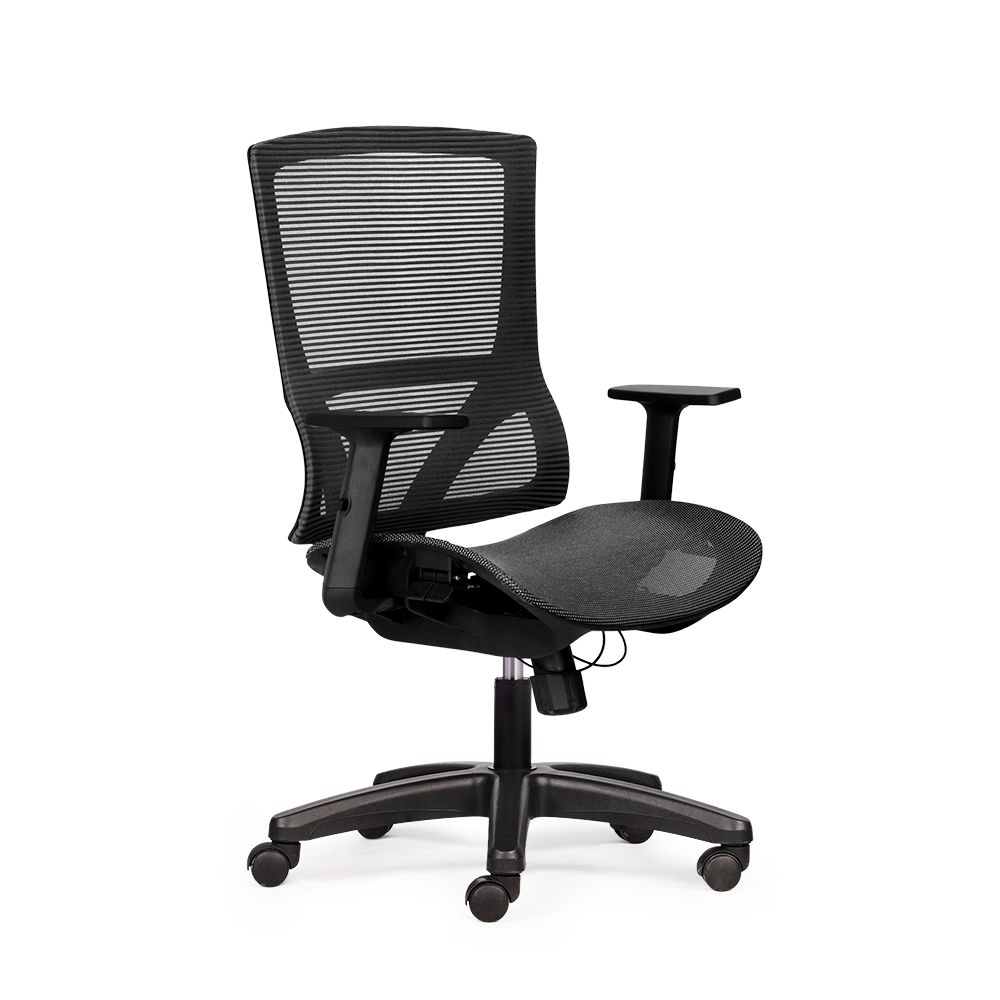
Before learning how to adjust an office chair or a swivel chair, you should understand the basic components of a chair and their functions. Each part plays a critical role in creating a comfortable, ergonomic sitting posture and protecting health during long hours of work.
• Headrest: Not all chairs have a headrest, but for premium or executive chairs, it supports the neck and shoulders, reducing fatigue. Some chairs allow height or angle adjustments to suit user height and posture.
• Backrest: The main support for the spine. It helps maintain the natural curve of the back, reduces pressure on the lumbar discs, and minimizes back muscle fatigue. Many chairs allow height, tilt, or firmness adjustments, while basic chairs may have a fixed backrest.
• Lumbar support: Some chairs feature separate lumbar support, which can be fixed or adjustable. This part supports the lower back, reduces spinal pressure, and helps maintain proper posture, especially when using a swivel chair for long periods.
• Seat cushion: The part in direct contact with the hips and thighs, significantly affecting comfort. Some chairs have adjustable seat depth or tilt to distribute weight evenly and reduce hip pressure. A high-quality cushion also helps prevent leg fatigue and increases stability while sitting.
• Armrests: Reduce shoulder and neck strain, support arms while typing, using a mouse, or holding documents. Some chairs have fixed armrests, while premium chairs allow height, rotation, or width adjustments to suit the user.
• Control mechanism: Through levers or knobs, you can lower or recline the chair with a single action. It also adjusts backrest tilt, allowing users to customize their posture, which is especially important for swivel chairs.
• Gas lift (pneumatic cylinder): Connects the chair base and control mechanism, bearing the main load. It allows smooth height and tilt adjustments while ensuring safety.
• Chair base: Maintains balance, often with five legs for even weight distribution. A sturdy base prevents tipping or wobbling.
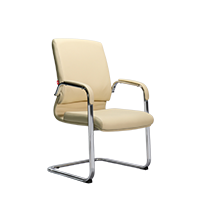
• Casters: Allow the chair to move easily, especially for swivel chairs. The wheel material and rolling mechanism affect movement on different floor types. Some chairs, like cantilever chairs, do not have wheels.
Understanding each chair component helps you grasp the basics before adjusting, fully utilize chair features, maintain ergonomic posture, and protect health during long work hours.
How to Adjust Chair Height for Comfortable Legs, Thighs, and Spine
Height adjustment is the most crucial factor affecting sitting posture. If the chair is too high, feet dangle, restricting blood flow. If too low, knees bend excessively, causing pelvis tilt and spine curvature, leading to lower back pain and hip discomfort over time.
Correct height allows weight to distribute evenly from hips to thighs and feet, keeping the spine in its natural curve. This forms the foundation for other components like backrest, armrests, and seat cushion to function properly.
To adjust a swivel chair height correctly, sit upright, place both feet flat on the floor, and use the height lever to adjust until thighs are parallel or slightly sloped toward the knees. Knees should form about 90–100 degrees, not pressed against the stomach or fully extended. Feet should rest firmly on the floor.
Pneumatic mechanisms allow flexible height adjustments. However, height may need fine-tuning depending on shoes, desk height, or posture. Frequent adjustment reduces leg fatigue, prevents numbness, and keeps the pelvis neutral.
How to Adjust the Backrest for Optimal Spinal Support
If height is the foundation, the backrest is the “frame” of sitting posture. A correctly adjusted backrest maintains the spine's natural S-curve, while an improper position forces muscles to compensate, causing pain and poor posture.
Pay special attention to contact between the backrest and lower back. The backrest should lightly support the lumbar region, not push you too far back or leave a gap.
Many chairs allow height adjustments to align the most curved part of the backrest with the natural lumbar curve, reducing disc pressure and preventing slouching.
For tilt, a 90-degree angle is suitable for typing or focused work. To relieve spinal load, 100–110 degrees is ideal, allowing the back to rest while keeping eyes and hands on the screen.
Most office chairs have a knob or lever to adjust backrest resistance. Proper resistance allows tilting without “falling backward” or requiring constant muscle engagement.
How to Adjust Armrests to Reduce Shoulder and Neck Strain
Armrests are often overlooked but directly affect shoulders, neck, and wrists. If too high, shoulders lift, causing neck strain. If too low, arms dangle, stressing shoulders and upper back.
The ideal position is with elbows at about 90 degrees, forearms parallel to the desk, and shoulders relaxed. Weight is partially supported by armrests, reducing fatigue during long typing or mouse use.
Armrest width is also important. They should be close enough to avoid overextension but not too narrow to restrict shoulders. Some chairs allow rotation or sliding for better fit.
Fixed armrests can be compensated with desk height adjustments or using wrist cushions.
How to Adjust Seat Cushion for Comfort and Pressure Reduction
The seat cushion supports hips and thighs. If too short, thighs are insufficiently supported, causing quick fatigue. If too long, edge presses behind knees, restricting blood flow and causing numbness.
The correct position allows thighs to contact about two-thirds of the cushion length, leaving a small gap behind the knees. Some chairs allow sliding or slight tilt (0–10 degrees) to support the pelvis and reduce spinal pressure.
Sitting far enough back to contact the backrest is important. Sitting too shallow removes support, forcing muscle engagement and causing lower back strain.
Check Chair Base and Casters for Stability and Mobility
Though not directly affecting posture, base and casters impact safety and stability. An unbalanced chair or stuck wheels may require constant adjustment, breaking comfort.
Ensure the base is stable, not wobbly. Five legs distribute weight evenly, reducing tipping risk. Wheels should roll smoothly and match floor type. Move the chair by gently pushing with feet to avoid damaging the gas lift mechanism.
Adjusting Office Chairs by Type
Swivel Chairs
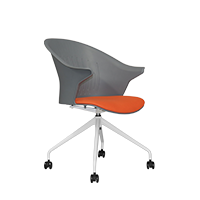
Swivel chairs are the most common, offering 360-degree rotation, mobility, and multiple adjustment mechanisms. Correct adjustment steps:
• Adjust height: Use the pneumatic lever to position thighs parallel to the floor, feet flat. Knees at 90–100 degrees for neutral pelvis.
• Adjust backrest: Support the lumbar curve. Tilt 100–110 degrees to relieve disc pressure while maintaining focus. Use knob or lever to adjust resistance.
• Adjust armrests: Elbows at 90 degrees, shoulders relaxed. Armrests neither too close nor too far for comfortable typing and mouse use.
• Check seat and wheels: Seat supports two-thirds of thigh, leaving small gap behind knees. Wheels roll smoothly, base stable for safe movement.
Ergonomic tip: Slightly vary tilt every 30–60 minutes within 100–110 degrees to reduce continuous pressure on one point.
>>> See also: Flexible workspace with swivel chairs
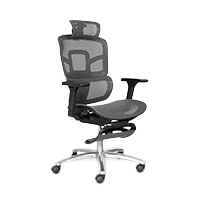
Executive Chairs
Executive chairs often have high backrests, large cushions, and more support mechanisms. Adjusting them requires attention to balance between relaxation and working posture:
• Adjust height: Feet flat on floor, knees 90–100 degrees. Use footrest for higher desks.
• Adjust backrest and tilt: Working angle 100–110 degrees, relaxing angle 110–120 degrees. Check spring force and safety locks for full recline.
• Adjust armrests: Shoulders relaxed, elbows at 90 degrees, armrest distance comfortable.
• Adjust seat: Sit deep enough for back contact, cushion supports thighs, avoid knee pressure. Tilt if available for long sitting comfort.
Tip: During breaks, recline slightly to relax spine. Combine lumbar or massage features with proper height and armrest settings for best results.
Important Notes for Using Office Chairs
• Change posture regularly: Stand or stretch every 60–90 minutes.
• Synchronize chair-desk-screen: Screen at eye level, desk height matches elbows, chair adjusted properly.
• Sit correctly: Hips against backrest, thighs on two-thirds of cushion, feet flat.
• Avoid sitting too deep or shallow: Deep causes knee compression, shallow removes back support.
• Check chair mechanisms regularly: Height, tilt lock, wheels must function smoothly.
• Use accessories if needed: Lumbar cushions, footrests, seat pads can help maintain ergonomic posture.
Conclusion
Understanding and properly adjusting office chairs ensures comfort, reduces fatigue in back, neck, and shoulders, and optimizes work efficiency. Correctly adjusting height, backrest, armrests, seat, and wheels maintains ergonomic posture, reduces strain, and protects the spine.
Whether using a swivel chair, executive chair, or cantilever chair, combining proper adjustments with posture changes, screen positioning, and supportive accessories maximizes chair functionality, reduces fatigue, and creates a healthy, comfortable work environment.
For businesses, dealers, or architects seeking flexible office furniture solutions, contact The Mia via hotline 1900 0324 or fill the form on the website for free 3D layout consultation.
TheMia - Integrated, modern, and professional office furniture solutions
Other news

- Business Registration Number: 0305955903, date of Issue: September 3, 2008
- Issued by: Department of Planning and Investment of Ho Chi Minh City
- Legal Representative: Nguyễn Thành Long

