

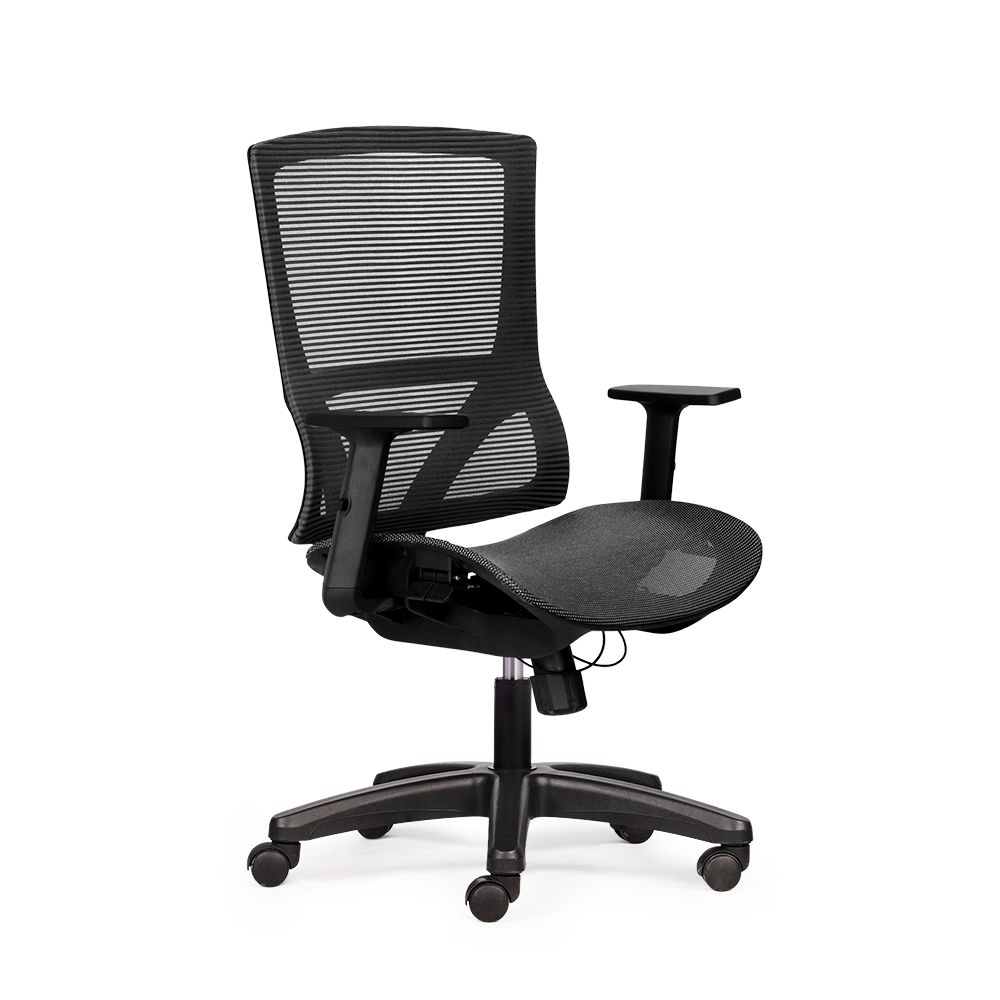
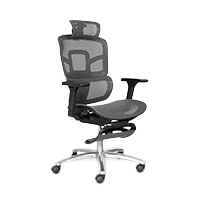


Maintain proper posture while sitting in a chair according to medical standards to avoid back pain.
Back pain, neck stiffness, and shoulder numbness are very common conditions among office workers or those who sit at computers for many hours each day. One of the main causes is incorrect sitting posture and not knowing how to use an ergonomic chair properly. In fact, even if you own a good ergonomic chair, sitting incorrectly means the benefits for spinal support will not be fully realized. Therefore, understanding and applying the correct ergonomic chair sitting posture according to medical standards is essential. Join The Mia to explore the detailed guide below to protect your spine and improve your daily work performance.
Why can you still experience back pain when sitting in an ergonomic chair?
Even after spending millions on an expensive ergonomic chair, many office workers still face persistent lower back pain every day. The truth lies in the fact that a health-supporting device only truly works when the user understands how to sit in an ergonomic chair and eliminates the following core mistakes:
-
Incorrect settings: Users often skip the step of adjusting parts such as the backrest, armrests, or seat height to perfectly match their own anthropometric measurements.
-
Lumbar support placed incorrectly: If the lumbar pad is too high or too low, it creates reverse pressure on the spine instead of supporting the natural curvature.
-
Maintaining the habit of sliding forward: Sitting without being fully against the seat back creates a large gap, causing the lower back to lose support and quickly become fatigued.
-
Seat size not suitable for body shape: A seat that is too deep relative to thigh length causes the seat edge to press against the back of the knee, obstructing blood circulation and leading to numbness in the limbs.
-
Overusing the recline function: Using too much recline while focusing on work puts excessive strain on the cervical spine and lower back over long periods.
-
Relying too much on the chair's features: Users tend to stay seated in one place for over two hours, forgetting that the body needs gentle movement to relieve muscle pressure.
>>> See more: The Mia latest ergonomic chair collection 2026
Principles of medically standard sitting posture
Proper ergonomic chair sitting posture is the core foundation for effectively preventing musculoskeletal disorders for office workers. A stable skeletal system is only achieved when you strictly follow these anthropometric and weight distribution guidelines:
-
Protecting the natural curvature: The spine is always supported to maintain its natural S-shape in the lumbar and cervical regions.
-
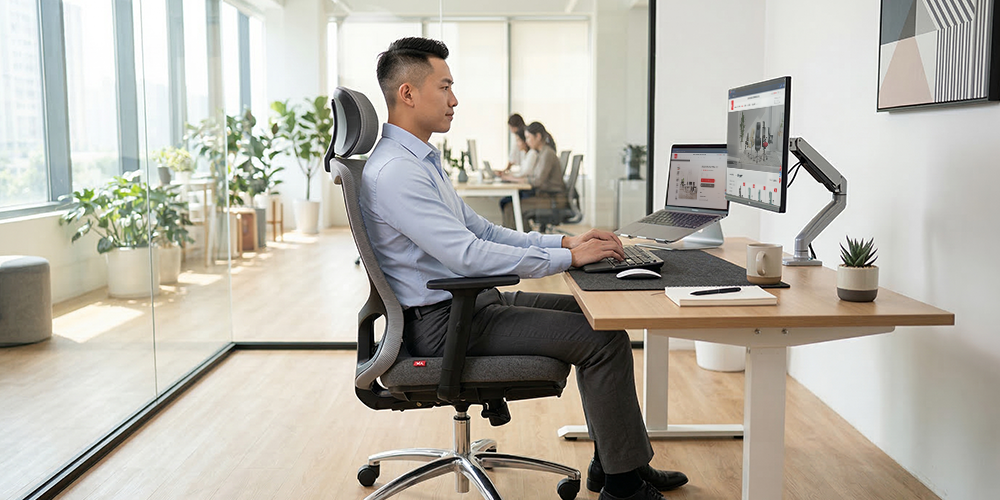
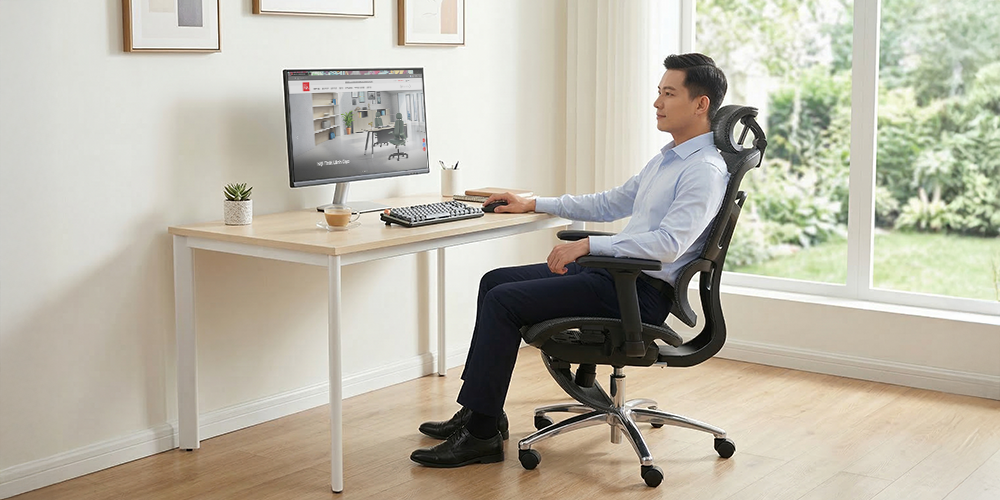
Three right-angle rule: Elbows, hips, and knees should maintain a flexible angle of 90 to 100 degrees to relieve pressure on the joints.
-
Firm foot support: The soles of the feet should rest flat on the floor to distribute body weight evenly, avoiding pressure on the pelvis.
-
Scientifically standard eye level: The top edge of the computer monitor should be at eye level to keep the cervical spine in a neutral state.
-
Freeing blood circulation: An appropriate gap between the back of the knee and the seat edge should be maintained to prevent compression of lower limb blood vessels.
-
Relaxed shoulder state: Both shoulder blades lower naturally thanks to correct support from the armrest height.
-
Sitting deep in the seat: Buttocks and back fully contact the backrest to maximize the chair's supportive function.
-
Optimizing reach: Arms working within close range minimizes leaning forward, which causes widespread back muscle strain.
Step-by-step medically standard ergonomic chair sitting posture
Owning a modern chair is only half the journey of spinal health care. You need to follow the parameter adjustment process below to ensure the ergonomic chair sitting posture fully realizes its body-protecting value.
Adjusting seat height
-
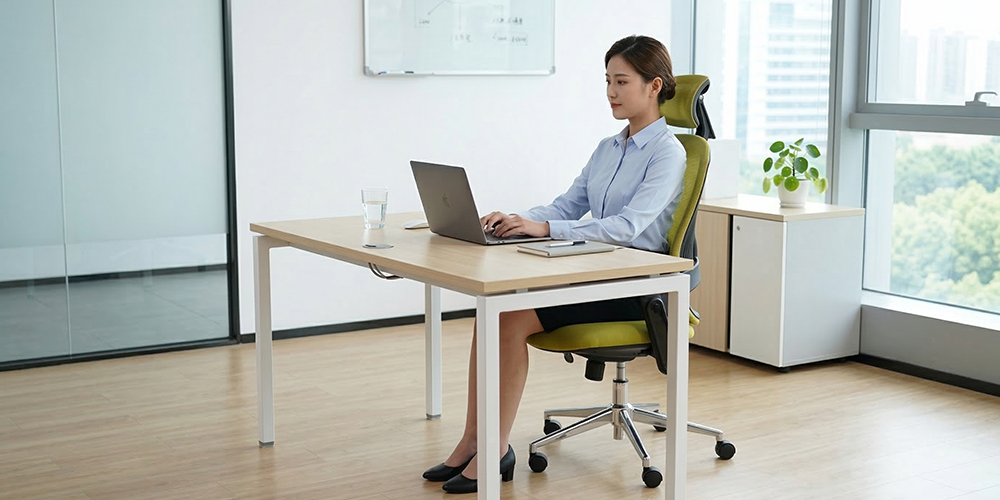
Feet on the floor: Your soles need to be completely flat on the floor to create a firm foundation, helping distribute body weight evenly to the hips.
-
Standard thigh position: Adjust the seat height so that your thighs are parallel to the ground, minimizing pressure on blood vessels below the back of the knee.
-
Knee angle: The ideal seat height must ensure the knee joint forms an opening angle of 90 to 100 degrees to maintain a relaxed state for the muscle system.
Correct sitting position on the seat
-
Buttocks against the back: Users should sit deep into the seat so that the buttocks directly contact the backrest, allowing the spine to be supported throughout work.
-
Avoid shifting weight: The habit of sliding the buttocks forward seriously harms the lower back, so you need to actively adjust your ergonomic chair sitting posture correctly.
-
Safe gap: Keep a small space of two to three fingers between the seat edge and the back of the knee to facilitate better blood circulation in the lower limbs.
Backrest and lumbar support
-
Full contact: The entire back should rest against the chair frame to reduce the burden on the erector spinae muscles during long working hours.
-
Correct support point: The lumbar pad needs to be positioned exactly at the natural hollow of the lumbar spine to keep the bone structure in its healthiest state.
-
Keep spine straight: Avoid slouching or over-arching, as these deviations place great pressure on the vertebrae, causing pain.
Headrest adjustment
-
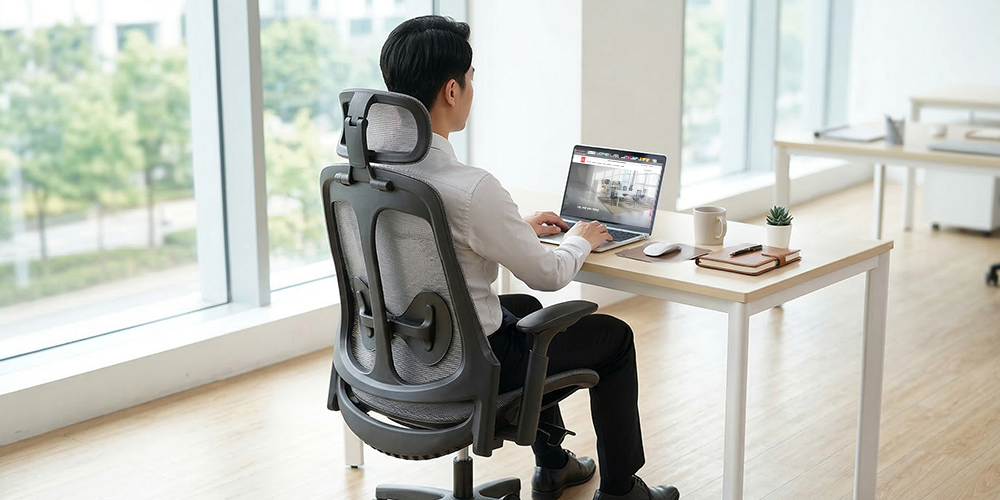
Neck support: The headrest should be adjusted to match the hollow of the neck to prevent the neck and shoulder muscles from becoming tense while you focus on work.
-
Neutral head axis: A correctly positioned headrest helps keep your face looking straight, avoiding the common problems of looking down too much or tilting back too high, which leads to frequent neck spine fatigue.
-
Flexible use: Setting the headrest appropriately for both working and resting makes the ergonomic chair sitting posture perfect and more comfortable.
Armrest adjustment
-
Standard elbow angle: The armrest height needs to be adjusted so that the elbow forms a right angle, keeping the arm comfortable when using the keyboard.
-
Relax shoulder joints: Correctly positioned armrests allow the shoulder blades to lower naturally, eliminating shoulder tension that causes neck and shoulder pain for office workers.
-
Support for operations: The armrest position should create a smooth connection with the desk surface to prevent wrist fatigue during continuous mouse movements.
>>> See more: Back pain from sitting in an ergonomic chair: Causes and solutions.
Ergonomic chair sitting posture when working with a computer
Setting up a synchronized workspace between your ergonomic chair and computer is a decisive factor in maintaining both long-term concentration and health. The harmonious coordination between devices will create a perfect spinal support ecosystem through the following layout rules:
-
Eye-to-screen relationship: The top edge of the computer monitor should be at eye level or at most 10% lower to keep the neck straight.
-
Optimal viewing distance: The screen should be 50 to 70 cm away from your eyes to minimize eye strain and forward neck leaning.
-
Hand position on keyboard: Wrists should always remain straight and parallel to the floor when operating the mouse or typing.
-
Standard elbow opening angle: Arms resting lightly on the armrests should form a right angle, eliminating pressure on the neck and shoulder area.
-
Desk and chair height coordination: The desk height must be compatible so that when sitting, the user does not need to shrug their shoulders or bend too deeply.
-
Arrangement of work tools: Keyboard and mouse placed within natural reach so that arms do not have to extend too far, causing intercostal muscle strain.
-
Prioritize using a computer stand: Laptop stands are recommended to raise the screen to an ideal height if the desk is too low.
-
Continuous backrest contact: Shoulder blades should always remain in contact with the backrest even when focusing on typing, to maintain a support point for the thoracic spine.
Common incorrect sitting postures to avoid
Identifying and eliminating bad work habits helps prevent serious damage to the skeletal system early. Below is a list of incorrect ergonomic chair sitting postures that office workers frequently make, which nullify the effectiveness of the ergonomic chair:
-
Sliding forward: Buttocks pushed too far forward, creating a large gap between the back and the backrest, causing the spine to lose a firm support point.
-
Crossing legs: Body weight shifts to one side, twisting the pelvis and increasing pressure on the lumbar discs.
-
Forward head posture (text neck): Head and neck leaning too far toward the computer screen, forcing the cervical vertebrae to bear loads many times greater than normal.
-
Slouching with rounded shoulders: The spine bends into a reverse C-shape, compressing internal organs and causing extreme tension on back ligaments.
-
Resting arms too high on the desk: Shoulders constantly elevated or stiff because the desk or armrests have not been adjusted appropriately.
-
Sitting with legs tucked under the chair: This posture restricts blood circulation in the leg veins and can easily lead to chronic numbness.
-
Holding the phone with your shoulder: Tilting the head to one side to answer the phone while typing causes severe neck and shoulder muscle spasms.
-
Sitting for too long without moving: Maintaining one posture for many consecutive hours causes muscle groups to become stiff and lose their natural elasticity.
Detailed The Mia ergonomic chair review for the year
How often should you change your posture when sitting in an ergonomic chair?
Even when applying the correct ergonomic chair sitting posture, the body still needs regular posture changes to avoid circulatory stagnation and muscle stiffness. According to medical recommendations, every 30-60 minutes you should stand up and move gently for 2-5 minutes. You can walk around the room, rotate your shoulder joints, stretch your body, or perform a few simple stretching exercises. This small but consistent habit helps reduce pressure on the spinal discs, maintains spinal flexibility, and limits the risk of chronic back pain in the long run.
Combining an ergonomic chair with good habits to avoid back pain
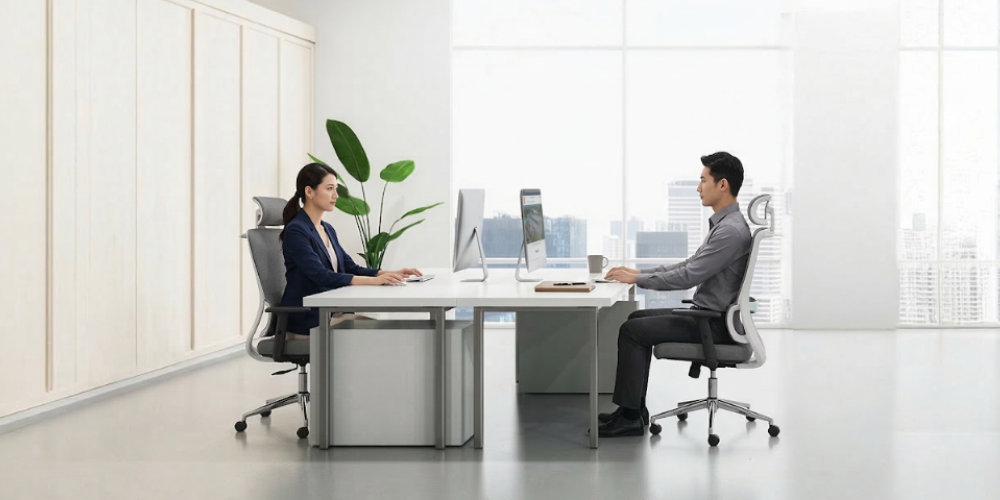
Owning a high-quality ergonomic chair is only the first step. To sit in an ergonomic chair without back pain, you need to build healthy daily habits alongside it.
First, maintain the principle of intermittent movement. Every 45-60 minutes, stand up and walk around or perform a few stretching exercises for your neck, shoulders, and lower back to release accumulated pressure on the spine. Alternating postures helps muscles relax and recover better.
Additionally, practicing core-strengthening exercises such as planks, bridges, or gentle yoga will support the spine from within. When your muscle system is strong enough, the ergonomic chair will more effectively help maintain a medically standard sitting posture.
Conclusion
Correct ergonomic chair sitting posture helps reduce pressure on the spinal discs, maintain the natural curvature, and improve work performance. Combining a suitable chair with proper movement habits creates a solid foundation for your spine. Practice today with [The Mia] to make every working hour more comfortable.
Other news

- Business Registration Number: 0305955903, date of Issue: September 3, 2008
- Issued by: Department of Planning and Investment of Ho Chi Minh City
- Legal Representative: Nguyễn Thành Long

